How do I search for remittances?
You can use the payment history search to search for remittances.
- Click on the ‘Payment history’ button on the home page OR go to Search / Payment history in the top menu.
- You can perform a simple search using the fields:
- Remittance number
- Reconciliation status (Unreconciled only, Reconciled only or All)
- History (up to a maximum of the last 60 days).
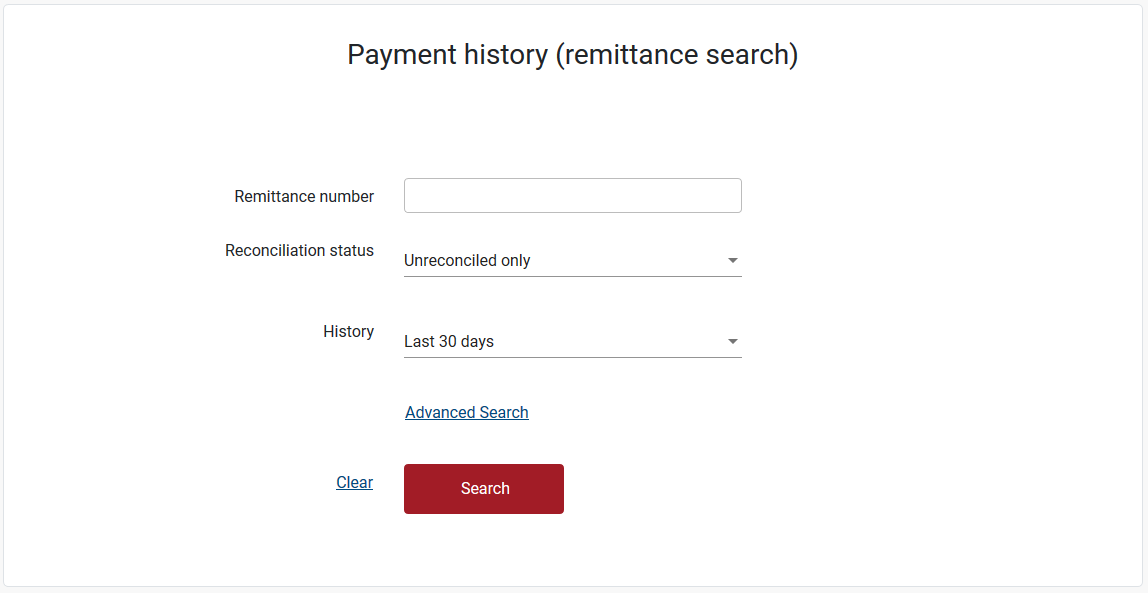
- You can also perform an Advanced Search by clicking ‘Advanced Search’.
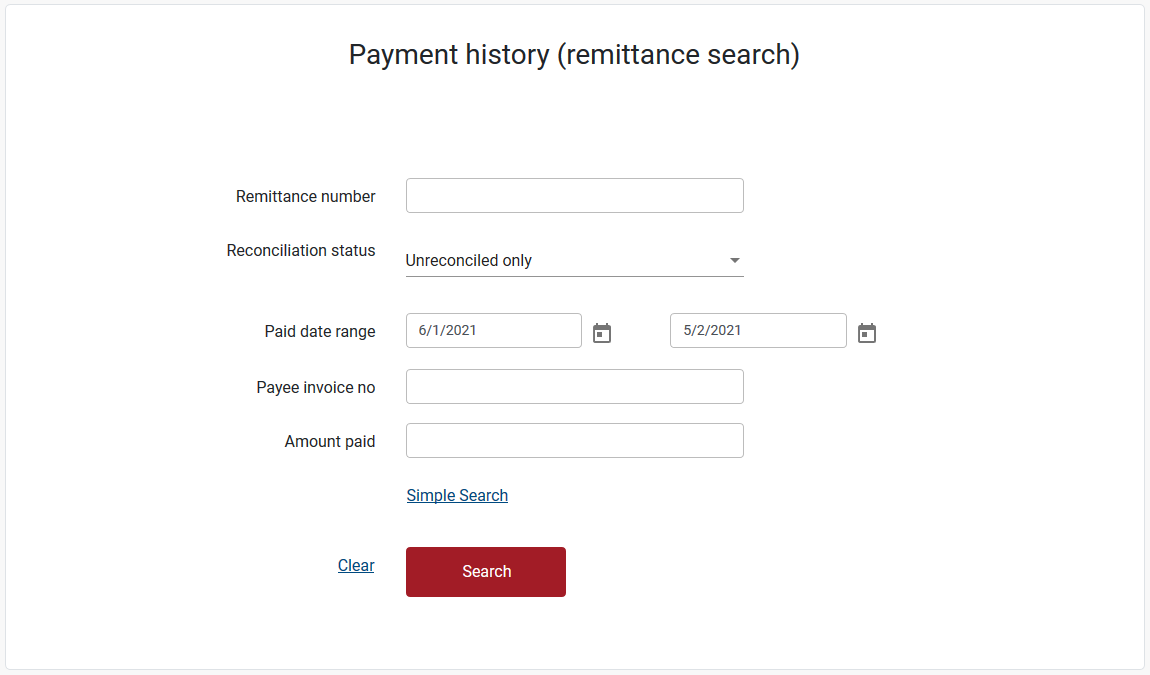
- An Advanced Search also allows you to search by:
- Paid date range (up to a maximum of 3 months)
Note: by using the date selector you can search up to the past 3 months.
To search further back in time you need to manually type in the dates into the date fields, noting that the date range can only be a maximum of 3 months apart. - Payee invoice no
- Amount paid
- Paid date range (up to a maximum of 3 months)
- Enter your search criteria, then click the ‘Search’ button.
Refer to ‘Can I reconcile a payment online' to learn how to reconcile and download remittances.
Still need help?
If you require assistance or have any feedback please contact us.
Call us on 13 18 55 between 8:30am - 5:00pm Monday to Friday or email info@rtwsa.com.