How do I search for an invoice/invoices?
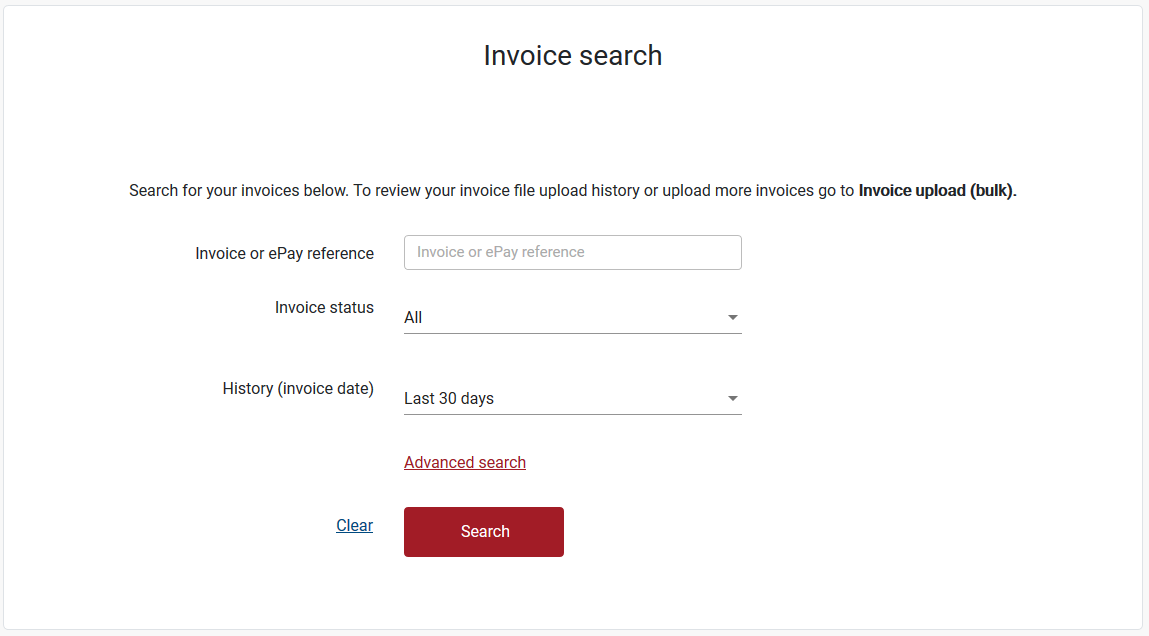
- Click on the ‘Invoice search’ button on the home page OR go to Search / Invoices in the top menu.
- Search by:
- Invoice or ePay reference AND/OR
- Invoice status AND/OR
- History (up to the last 90 days)
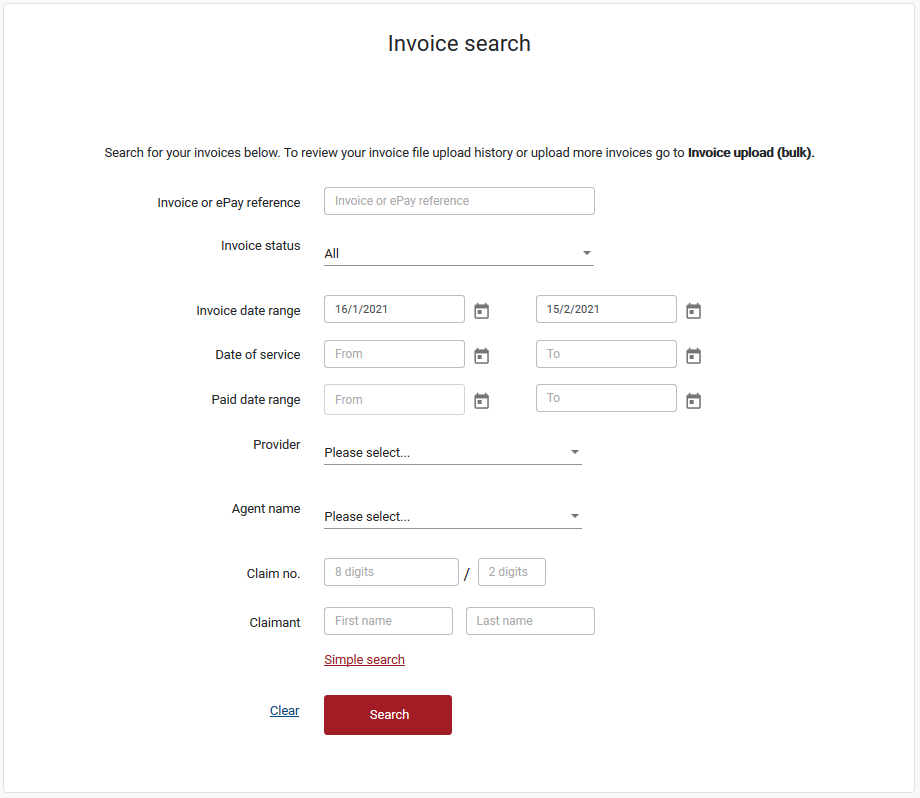
Note: you may use the Advanced search and also search by:
- Invoice date range
- Date of service
- Paid date range (up to a maximum of 3 months)
Note: by using the date selector you can search up to the past 3 months.
To search further back in time you need to manually type in the dates into the date fields, noting that the date range can only be a maximum of 3 months apart. - Provider
- Agent name
- Claim no.
- Claimant name.
Still need help?
If you require assistance or have any feedback please contact us.
Call us on 13 18 55 between 8:30am - 5:00pm Monday to Friday or email info@rtwsa.com.