Can I change between actual and estimated remuneration?
During the annual employer remuneration return submission period (usually from early July to 30 September), you can change whether your premium is based on actual remuneration for the previous financial year or estimated remuneration for the upcoming year (if you haven’t already made a payment).
To do this, you will need to update your employer remuneration return. At the end of the actual remuneration section, select how you would like us to calculate your premium for the current financial year.
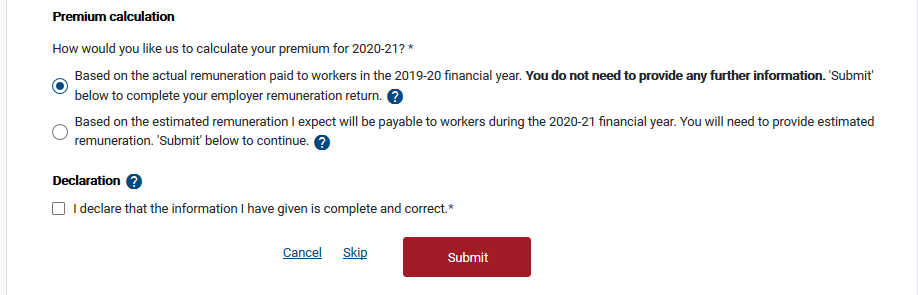
Then tick the declaration box and Submit.
If you have chosen actual remuneration, your employer remuneration return is now complete.
If you have chosen estimated remuneration, you will need to provide estimated remuneration for the upcoming financial year to complete your employer remuneration return.
After 30 September you can’t change the way your premium is calculated for the current financial year, however you may contact us on 13 18 55 between 8:30am and 5:00pm Monday to Friday to discuss any concerns.
You can make a different choice every year if you wish.
Still need help?
If you require assistance or have any feedback please contact us.
Call us on 13 18 55 between 8:30am - 5:00pm Monday to Friday or email info@rtwsa.com.